
Security Groups
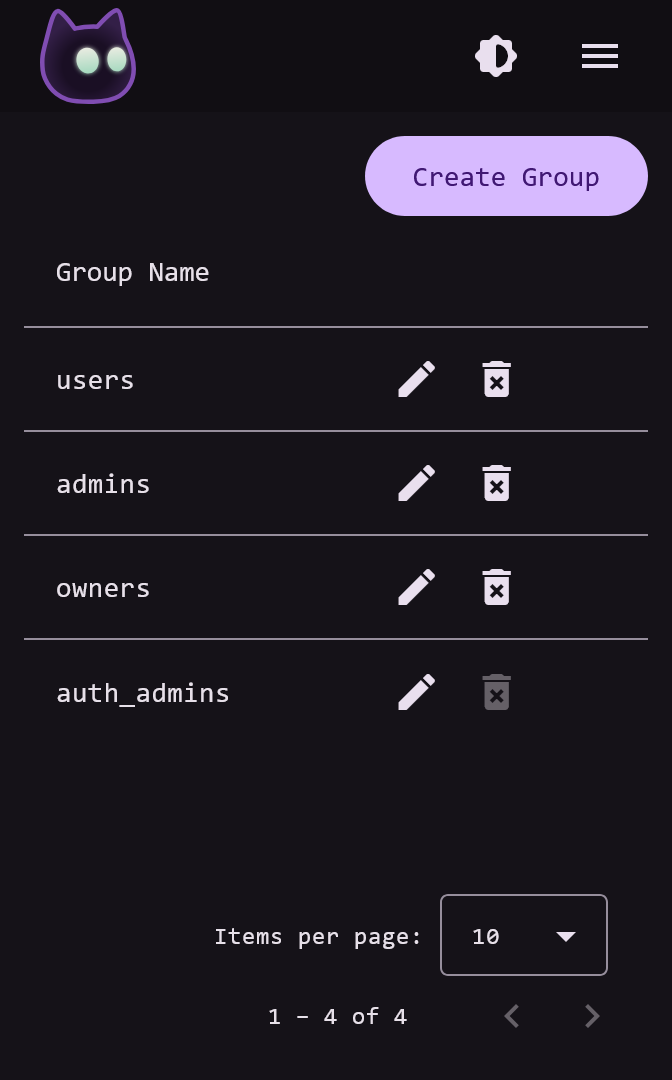
Security Groups are created from the admin Groups page, users can be added to groups from either the Group Update or User Update pages.
IMPORTANT
VoidAuth users who are members of the auth_admins group become administrators in VoidAuth. This is how you should promote your own user after using the initial admin account to create/invite yourself.
TIP
Users with the auth_admins group will not be denied access to any resource, regardless of other security group restrictions.
Options
Security Group settings also includes additional options:
- MFA Required: Users in this group will need to use Multi-Factor Authentication to log in.
- Auto Assign: This group will be added to new invitations and self registered users by default.
Security Groups are used in both OIDC Apps and ProxyAuth Domains.
LDAP
Security Groups are also exposed through the optional LDAP Server:
- User entries include group DNs in the
memberOfattribute - Group entries include user DNs in the
memberanduniqueMemberattributes
ProxyAuth
Security Groups are used in ProxyAuth Domains for:
- ProxyAuth Domain authorization
- Trusted Header SSO, a users groups are added to the 'Remote-Groups' header
For information on ProxyAuth setup visit the Proxies and ProxyAuth page.
OIDC
Security Groups are used in OIDC Apps for:
- OIDC App authorization
- Sent with tokens when the OIDC App requests the 'groups' scope. The OIDC App may use the groups for its own authorization, ex. Jellyfin SSO Plugin
For information on OIDC setup visit the OIDC Setup Guide.